
CIBMALL Third-Party Reload Guide

Login to the link below to easily purchase game credits.
Get additional 20%
game credits when you reload using CIBMALL 3rd party payment channels.
CIBMALL Third-Party Top-Up Link
https://payment.cibmall.net/mxm
After logging in, select a top-up platform, choose a server, enter your Game ID and email address, select the top-up amount, and follow the platform’s payment process to receive your YB in game.
Required Information
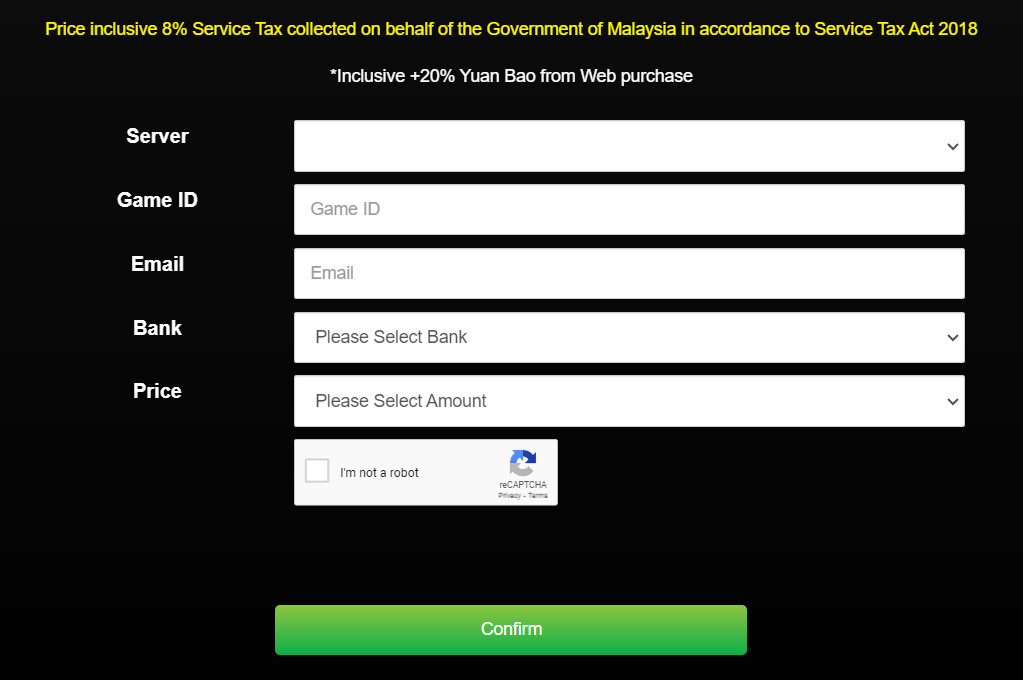
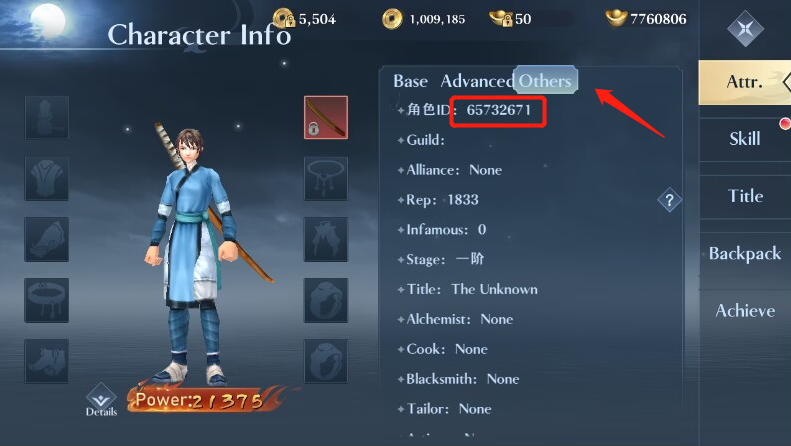
Where can I find my Game ID?
Log in to the game, tap the avatar in the top-left corner, then tap “Others” to view your Character ID.
Top-Up Platform Guide
Premium Online Channel
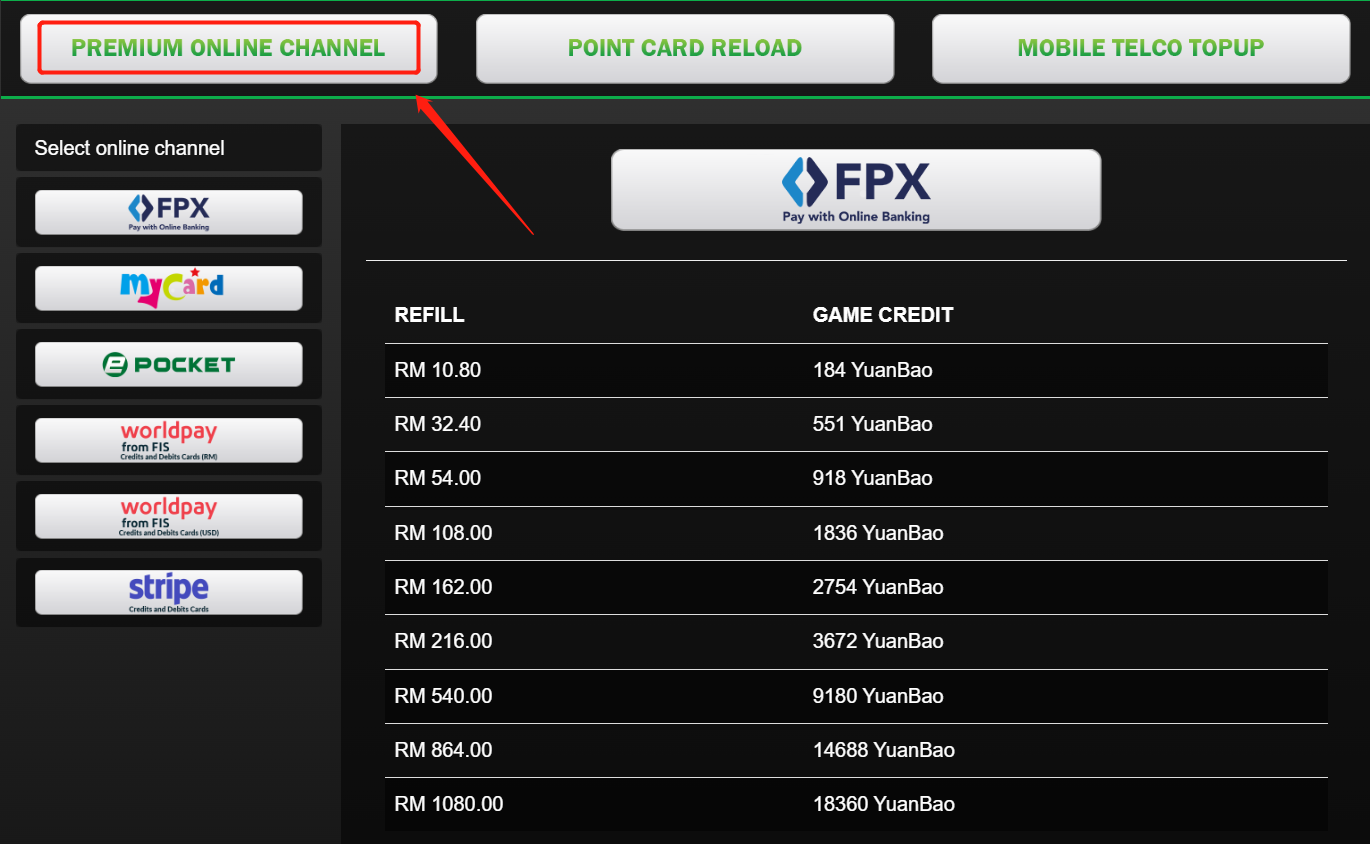
Payment can be made via online banking, e-wallet, or prepaid card.
- A. Select a server.
- B. Enter your Character ID.
- C. Enter the correct email address. The payment receipt will be sent to this email.
- D. Each top-up platform has its own process and rules. Just follow the steps to complete the payment.
- E. After a successful top-up, the YB will be sent to your game account.
Point Card Reload
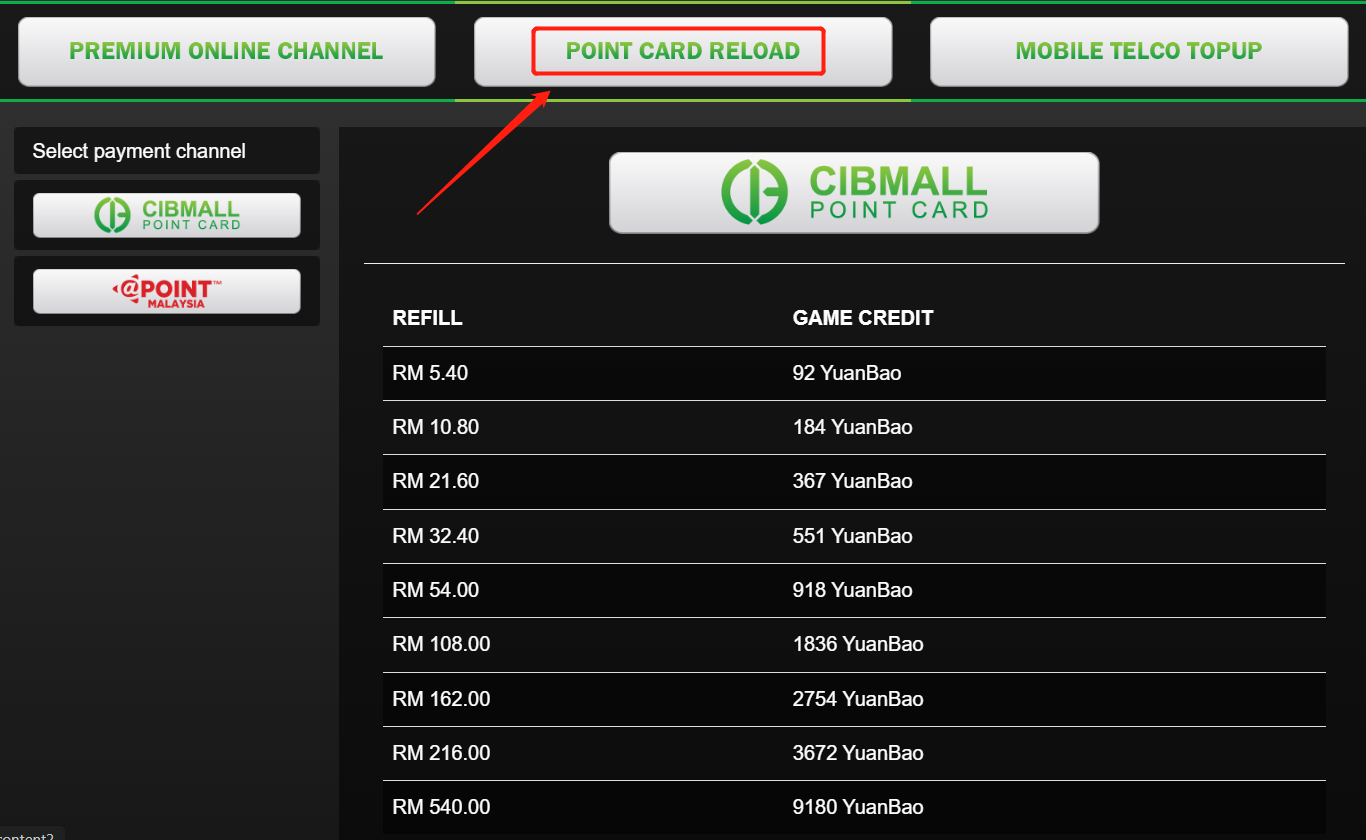
CIBMALL Point Card
- A. Select a server.
- B. Enter your Character ID.
- C. Enter the serial number and password, then submit.
- D. After a successful top-up, the YB will be sent to your game account.
- E. Note: CIBMALL Point Card can be purchased from major dealers and online shopping platforms in Malaysia.
- Yougopay: https://www.yougopay.com/
- On9gamer: https://www.on9gamer.com/
Mobile Telco Top-Up
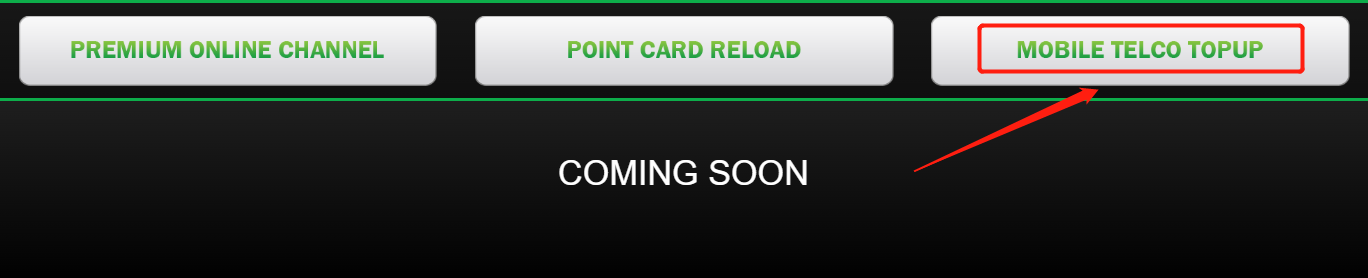
Mobile Telco Top-Up
Note: Coming soon